 Jake Kitchiner
Brands sponsor YouTube creators when they pay for creator-led videos, integrations, mentions, product placements, affiliate campaigns, or repeat partnerships.
The easiest way to find these brands is to look for sponsored brand mentions across YouTube videos, then review which creators the brand works with, how often they appear, and whether the activity looks recent or repeated.
How to do this in ChannelCrawler
ChannelCrawler shows which YouTube channels each brand sponsors, across the 6,038 brands it tracked on October 27, 2026. A video counts as sponsored only when its description links to the brand and discloses the sponsorship.
In ChannelCrawler Brands, filter brands by category, creator size and how recently they sponsored, then open a brand to see its sponsored videos, the channels behind them and similar brands. The biggest sponsors are ranked in Top YouTube sponsors.
Quick answer: how do you find brands sponsoring YouTube creators?
You can find brands sponsoring YouTube creators by searching for sponsored brand mentions across YouTube videos.
In ChannelCrawler Brands, you can search for a specific brand or use filters to discover brands by brand category, creator size, how recently they sponsored, sponsorship volume, and mention type.
Once you find a brand, you can open its profile to see the videos, creators, repeat partnerships, and related brands connected to its YouTube sponsorship activity.
What does it mean when a brand sponsors a YouTube creator?
When a brand sponsors a YouTube creator, it usually means the brand is paying or compensating the creator to feature the brand in their content.
This can include:
- Sponsored integrations
A creator includes the brand in part of a video, often with a short talking point, link, or call to action. - Dedicated sponsored videos
A video is mainly focused on the brand, product, service, or campaign. - Affiliate partnerships
A creator shares a brand link, tracking link, or promo code. - Product placements
A brand, product, or service is featured within the video content. - Repeat partnerships
The same brand appears with the same creator more than once.
Not every brand mention is paid, so it is useful to separate general brand mentions from sponsored mentions.
Why find brands that sponsor YouTube creators?
Brands already sponsoring YouTube creators are often stronger prospects than brands with no visible creator activity.
They may already understand creator partnerships, have budget allocated, or be testing YouTube as a marketing channel.
This is useful if you want to:
- Find brands to pitch.
- Find sponsors for creators.
- Research competitor sponsorship activity.
- Discover brands active in a specific category.
- Understand which creators brands are choosing.
- Build a better outreach or prospecting list.
Instead of guessing which brands might sponsor creators, you can start with brands that already show signs of sponsorship activity.
The manual way to find YouTube sponsors
Without a sponsorship database, finding brands that sponsor YouTube creators is usually manual.
You might:
- Search YouTube for brand names.
- Watch videos to find sponsor segments.
- Check descriptions for brand links.
- Look for promo codes.
- Review competitor channels.
- Build a spreadsheet by hand.
This can work for a small number of brands or creators, but it becomes difficult to scale.
The main problem is that YouTube sponsorship activity is spread across thousands of videos, creators, categories, and countries.
That makes it hard to know which brands are actually active, which creators they are working with, and whether the activity is a one-off mention or part of a wider sponsorship strategy.
The better way: use sponsorship data
A better way to find brands sponsoring YouTube creators is to start with sponsorship signals.
These signals can include:
- Sponsored mentions
Videos where there are signs of paid or commercial activity. - Brand links
Links to the brand in the video description. - Promo codes
Creator-specific codes or campaign codes. - Repeat messaging
Similar brand messaging appearing across multiple videos. - Repeat partnerships
The same brand appearing with the same creator more than once. - Creator and category patterns
Brands appearing across similar creators, markets, or video categories.
ChannelCrawler Brands counts a video as sponsored only when its description links to the brand and discloses the sponsorship. A link or promo code on its own counts as a mention. The other signals help you judge how a brand works with creators once you have found it.
How ChannelCrawler helps you find brands sponsoring creators
ChannelCrawler Brands lets you search and explore brands that are appearing across YouTube creator content.
There are two main ways to start.
- Search for a specific brand
Use this when you already know the brand you want to research. For example, you might search for a competitor, client, prospect, or brand you have seen in a YouTube video. - Use filters to discover brands
Use this when you do not have a specific brand in mind and want to find brands already active in a market, category, or creator niche.
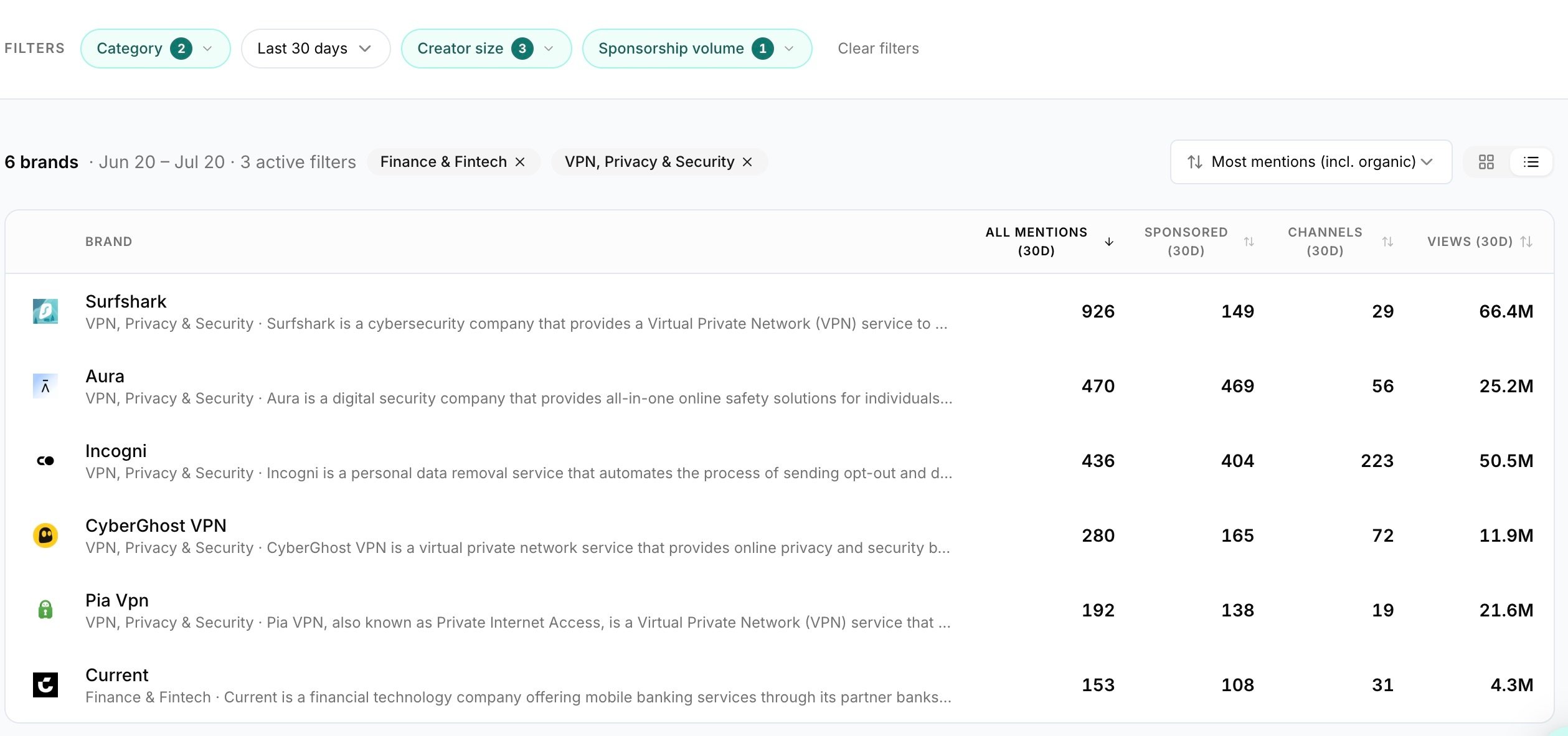
Use filters to find relevant sponsor brands
Filters help you narrow the brand database to the opportunities that matter most.
For example, you can filter by:
- Brand category
Find brands in specific markets, such as tech, finance, beauty, gaming, fitness, education, or other categories. - Recency
Focus on brands that have sponsored creators recently. - Creator size
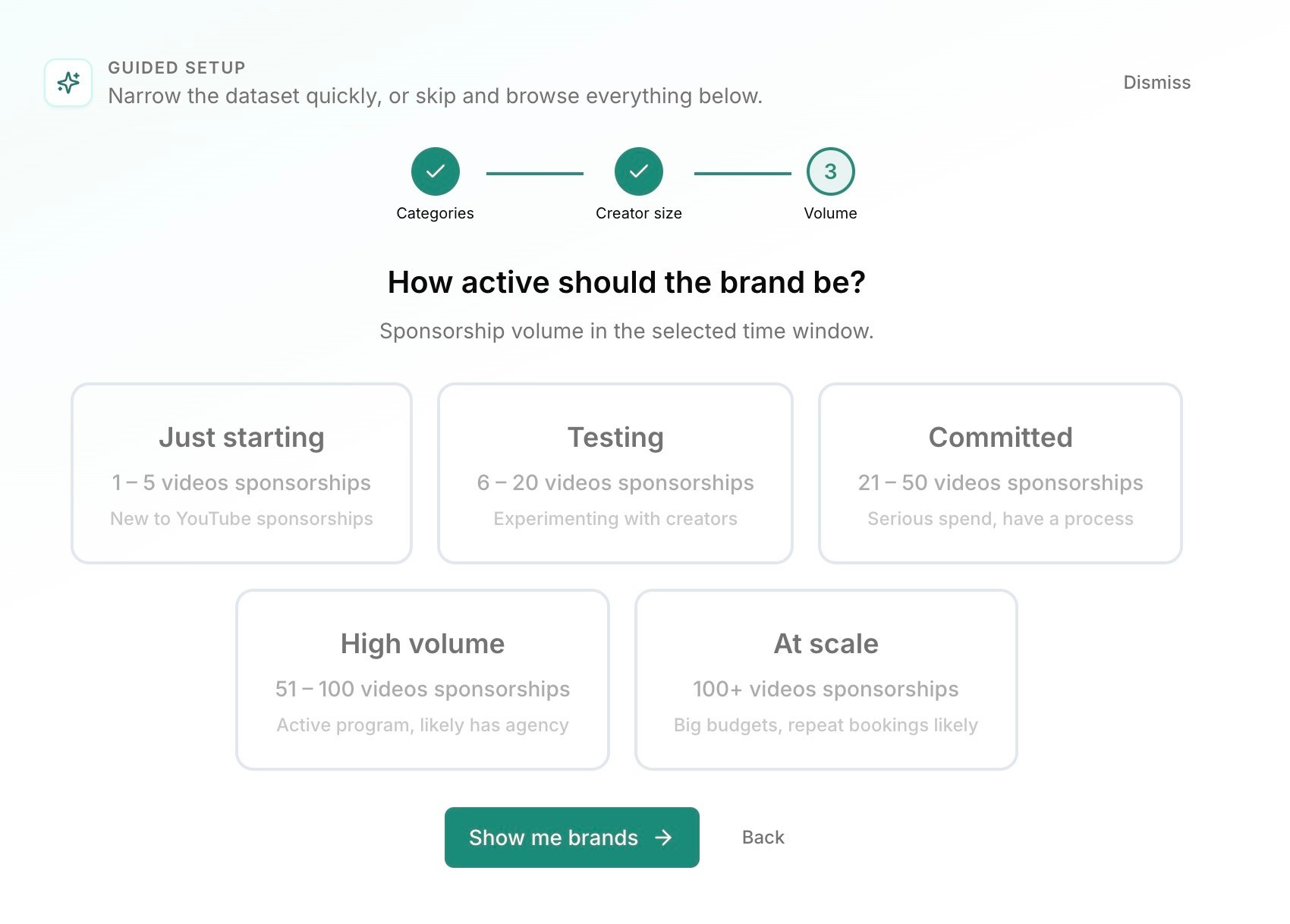
Find brands working with smaller creators, mid-sized channels, or larger YouTube channels. - Sponsorship volume
Find brands with lots of sponsored videos, or brands with a smaller but more focused presence. - Mention type
Choose whether you want to look at all brand mentions or focus on sponsored mentions.
If your goal is to find brands that sponsor YouTube creators, sponsored mentions are usually the best place to start.
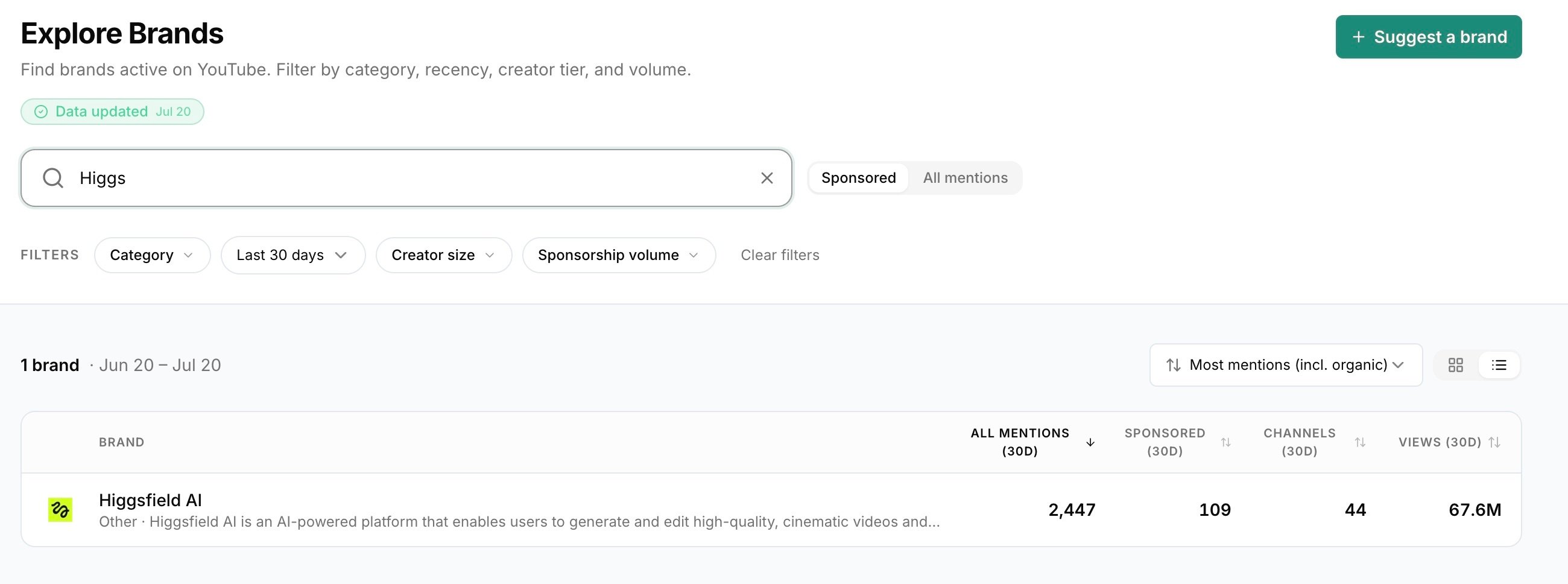
Understand all mentions and sponsored mentions
Not every brand mention is a sponsorship.
A creator might mention a brand organically, review a product, compare it to competitors, or talk about it in passing.
That is why it is useful to separate all mentions from sponsored mentions.
- All mentions
Gives you a broader view of where a brand is being talked about across YouTube. - Sponsored mentions
Focuses on videos where the description links to the brand and discloses the sponsorship.
Use all mentions when you want to understand general visibility.
Use sponsored mentions when you want to find brands that are more likely to be investing in YouTube creators.
Understand confirmed and likely sponsorships
A sponsored video always has a link to the brand in its description, plus a disclosure. ChannelCrawler marks it in one of two ways.
- Confirmed ad
The description ties sponsorship wording to the brand, such as “sponsored by Squarespace” or “brought to you by NordVPN”. - Likely sponsored
The brand is listed under a sponsor heading in the description, or tagged with a #brandpartner hashtag. For some brands that pay creators mainly through tracked links, a reviewed exception also counts their coded links.
A link on its own is a mention, not a sponsorship, even when it carries a discount code. See how ChannelCrawler counts sponsorships.
Open a brand profile
Once you find a brand that looks relevant, open the brand profile.
This helps you move from “this brand sponsors creators” to “this is how they are using YouTube.”
Use the brand profile to understand:
- How many videos are connected to the brand.
- How many creators the brand is appearing with.
- How much visibility those videos are generating.
- Whether the activity looks recent, repeated, or campaign-led.
- Which other brands are appearing in a similar space.
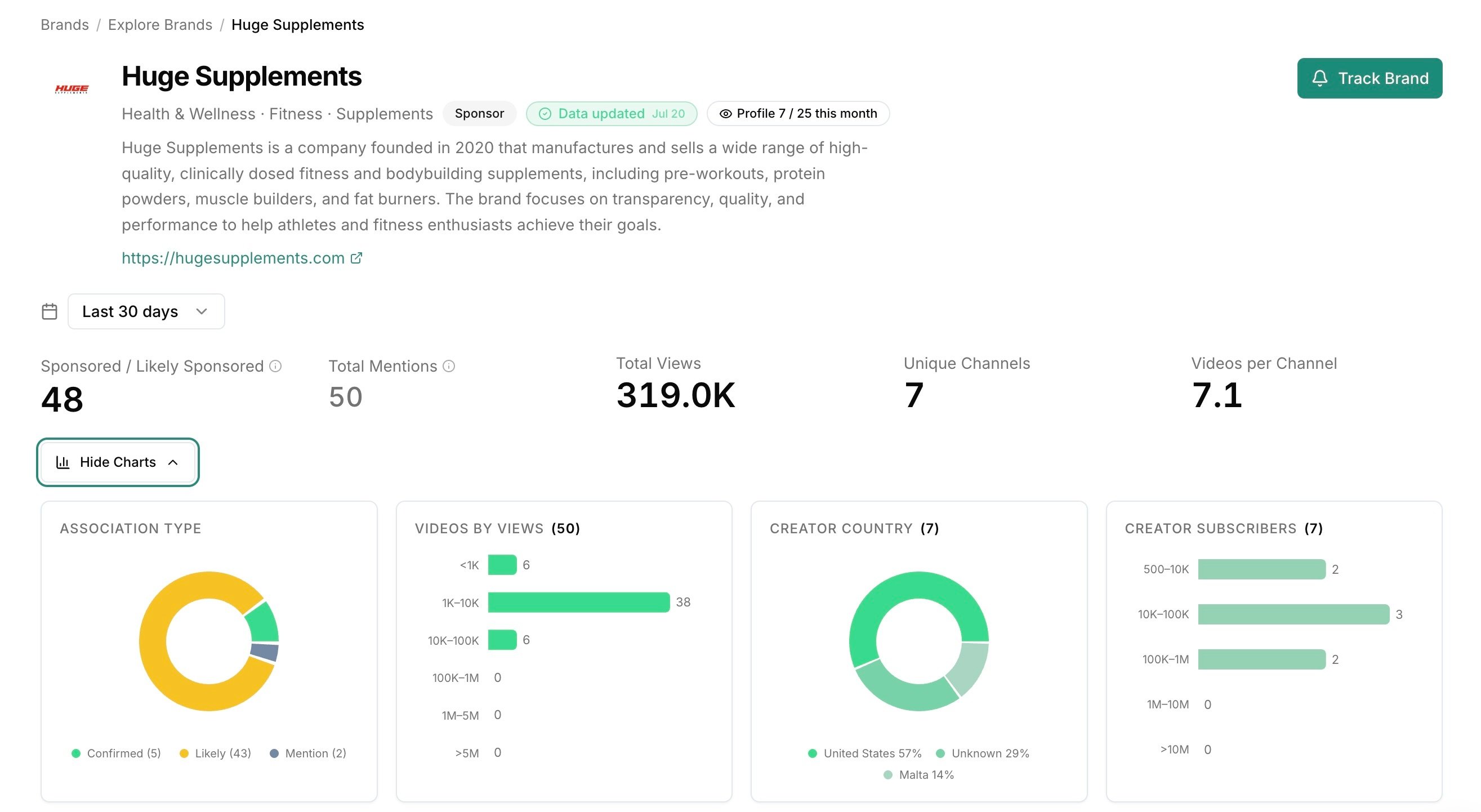
Explore the brand profile tabs
The brand profile gives you different ways to understand the activity behind the brand.
- Videos
See the individual videos where the brand has been mentioned or detected as sponsored. This helps you understand the content, creator, views, and context behind the activity. - Channels
See the YouTube channels connected to the brand. This helps you understand which creators the brand is appearing with. - Repeat Partnerships
See channels where the brand appears more than once. This can suggest a stronger relationship between the brand and creator, rather than a one-off mention. - Related Brands
See other brands connected to similar creators, markets, or sponsorship patterns. This can help you find competitors, adjacent brands, or new brands to research.
What data should you look at?
When you are trying to find brands sponsoring YouTube creators, the most useful signals are the ones that show activity, intent, and relevance.
Look at:
- Recent activity
Shows whether the brand is active now, not just historically. - Sponsored video count
Shows how many sponsored videos are connected to the brand. - Views
Shows how much visibility those videos generated. - Channels
Shows which creators the brand is appearing with. - Repeat partnerships
Shows where a brand may be continuing a creator relationship. - Related brands
Helps you find competitors, adjacent sponsors, or other brands to research.
These signals help you decide whether a brand is just testing YouTube, investing consistently, or building deeper creator partnerships.
How do you know if a brand is worth pitching?
Not every brand that sponsors creators is equally useful.
The best opportunities are usually brands where the data gives you a clear reason to reach out.
Look for signs like:
- Recent sponsored activity
The brand has appeared in sponsored videos recently, which suggests YouTube is currently relevant to them. - Multiple sponsored videos
The brand is not just appearing once. This may suggest they are testing or investing in YouTube as a channel. - Repeat partnerships
The brand is working with the same creator more than once, which may suggest the relationship is performing well. - Relevant creators
The brand is working with creators in a niche, market, or audience you understand. - Similar brands are active
If related or competing brands are active, that can help create urgency for brands that do not want to fall behind.
A weak pitch says: “You should sponsor YouTube creators.”
A stronger pitch says: “Here is how you compare to the competition, which creators are already working in this space, and where we can help you gain ground.”
Example workflow: finding sponsor brands to pitch
Here is a simple example.
You want to find finance brands that may be open to sponsoring YouTube creators.
You could:
- Open ChannelCrawler Brands.
- Select the relevant brand category.
- Filter to sponsored mentions.
- Choose a recent time range.
- Filter by creator size if needed.
- Review brands with multiple sponsored videos.
- Open the strongest brand profiles.
- Check their videos, channels, and repeat partnerships.
- Use related brands to find more companies in the same space.
- Track the strongest prospects with the Track Brand button.
By the end, you have a list of brands with evidence that they are already active in YouTube sponsorships.
How this helps your outreach
ChannelCrawler helps you move from generic outreach to evidence-led outreach.
Instead of saying:
“We can help you with YouTube sponsorships.”
You can say something more specific:
“Your competitors are already appearing across creator videos in this category. We found several creators driving visibility for similar brands, and here is an example of how we can help you gain ground before the category becomes more competitive.”
This makes the outreach more relevant, more urgent, and more connected to what is already happening in the market.
How this helps creator teams and agencies
If you represent creators, this workflow can help you find brands that already understand YouTube sponsorships.
That means you can prioritise brands that are more likely to be familiar with creator partnerships, sponsorship formats, and performance expectations.
You can also use brand profiles to understand:
- Which creators the brand has already worked with.
- What types of videos the brand appears in.
- Whether the brand works with creators repeatedly.
- Which related brands might also be worth pitching.
This gives you a better starting point than pitching brands with no visible YouTube activity.
Track brands you want to come back to
When you find brands that look relevant, track them or save your search so you can return to them later.
You might group brands by:
- Category
For example, finance, fitness, beauty, gaming, or education. - Competitor set
Useful when you want to monitor a group of brands over time. - Outreach priority
Useful when you are building a prospect list. - Client or campaign
Useful when you are researching brands for a specific project.
This helps you build a working list of brands that are already sponsoring creators, likely to sponsor more creators, or worth monitoring over time.
Common mistakes to avoid
- Only searching for brands you already know
Search is useful, but filters can help you discover brands you may not have considered. - Treating every mention as paid activity
Not every brand mention is a sponsorship. Use sponsored mentions when you want stronger signs of commercial activity. - Ignoring the creators behind the brand
The channels and videos show you how the brand is actually using YouTube. - Ignoring repeat partnerships
Repeat activity can suggest a stronger creator relationship or a partnership the brand wants to continue. - Pitching without a reason
The strongest outreach comes from a clear insight, such as competitor activity, recent sponsorships, repeat partnerships, category momentum, or whitespace in the market. - Forgetting to track good prospects
Track relevant brands so you can come back to them, follow their activity, or build an outreach list.
Frequently asked questions
How do I find brands that sponsor YouTube creators?
You can find brands that sponsor YouTube creators by searching for sponsored brand mentions across YouTube videos. In ChannelCrawler Brands, you can filter by brand category, creator size, how recently they sponsored, sponsorship volume, and mention type to find brands already sponsoring creators.
How can I find companies that pay YouTubers for sponsorships?
You can find companies that pay YouTubers for sponsorships by looking for videos where the description links to the brand and discloses the sponsorship, which ChannelCrawler marks as confirmed ads or likely sponsored. Repeat creator partnerships, recent sponsored activity, and sponsored videos across many channels are further signs of a paid programme.
How do I know if a brand is sponsoring YouTube creators?
A brand may be sponsoring YouTube creators if its link appears in video descriptions that disclose the sponsorship, such as “sponsored by” wording, a sponsor heading or a #brandpartner hashtag. Recent sponsored videos and repeat partnerships with the same YouTube channels are stronger signs.
What is the difference between a YouTube brand mention and a sponsored mention?
In ChannelCrawler, a brand mention is a video whose description links to the brand, which may not be paid. A sponsored mention also discloses the brand as a sponsor in the description. A link with a discount code but no disclosure is still a mention.
Why are brands already sponsoring YouTube creators good prospects?
Brands already sponsoring YouTube creators are often good prospects because they may already understand creator partnerships, have budget allocated, or be testing YouTube as a marketing channel. This can make them easier to pitch than brands with no visible sponsorship activity.
How can YouTube sponsorship data help me pitch brands?
YouTube sponsorship data can help you pitch brands by showing that their competitors, similar brands, or wider category are already active with creators. This gives you a clearer reason to reach out and helps position YouTube sponsorships as a market opportunity, not just a generic marketing idea.
How can I see which YouTube creators a brand is sponsoring?
You can see which YouTube creators a brand is sponsoring by opening the brand profile in ChannelCrawler Brands. The Videos, Channels, and Repeat Partnerships tabs show the videos connected to the brand, the creators involved, and whether the brand appears with the same creator more than once.
What are repeat partnerships in YouTube sponsorships?
Repeat partnerships are cases where the same brand appears with the same YouTube creator more than once. They can be useful because repeated activity may suggest a stronger brand-creator relationship, an ongoing campaign, or a creator partnership the brand has chosen to continue.
How can I find brands that sponsor creators in my niche?
You can find brands that sponsor creators in your niche by filtering brands by category, creator size, how recently they sponsored, and mention type. This helps you narrow the brand database to companies already appearing with creators in the markets or audiences you care about.
Can I save brands I want to pitch or monitor later?
You can track brands in ChannelCrawler (1 on Starter, 5 on Power and 20 on Enterprise) and save brand searches, so you can return to them later, follow their activity, or build an outreach list. This is useful when you are researching a category, tracking competitors, or creating a shortlist of brands that may be relevant for creator sponsorships.
What to do next
Finding brands sponsoring YouTube creators is not just about building a list of companies.
It is about understanding which brands are active, which creators they work with, how recently they have sponsored content, and where there may be a reason to pitch.
Use ChannelCrawler Brands to search for sponsor brands, explore their creator partnerships, and track the brands worth pitching or monitoring.
Related content