---
title: "Reduce Costs of YouTube outreach: Use ChannelCrawler Credits"
description: Discover how ChannelCrawler's credit system can optimize your YouTube outreach by controlling costs and providing flexible outreach options. Learn tips for efficient credit use.
image: https://channelcrawler.com/hubfs/cc%20credits%20explained.jpg
---
[](https://channelcrawler.com/)
- [Pricing](https://channelcrawler.com/pricing)
- [Use cases](https://channelcrawler.com/use-cases)
- [API](https://channelcrawler.com/api)
- [YouTube Datasets](https://channelcrawler.com/youtube-datasets)
- [Contact](https://channelcrawler.com/contact)
- [Blog](https://channelcrawler.com/insights)
- Resources
[Help](https://help.channelcrawler.com) [Case studies](https://channelcrawler.com/insights/tag/customer-wins) [Creator Outreach - Done for you](https://channelcrawler.com/creatoroutreach/campaigns) [YouTube transcript extractor](https://channelcrawler.com/tools/free-youtube-transcript)
- [Start a free search](https://app.channelcrawler.com/search)
- [Log in](https://app.channelcrawler.com/auth/login)
- [Pricing](https://channelcrawler.com/pricing)
- [Use cases](https://channelcrawler.com/use-cases)
- [API](https://channelcrawler.com/api)
- [YouTube Datasets](https://channelcrawler.com/youtube-datasets)
- [Contact](https://channelcrawler.com/contact)
- [Blog](https://channelcrawler.com/insights)
- Resources
[Help](https://help.channelcrawler.com) [Case studies](https://channelcrawler.com/insights/tag/customer-wins) [Creator Outreach - Done for you](https://channelcrawler.com/creatoroutreach/campaigns) [YouTube transcript extractor](https://channelcrawler.com/tools/free-youtube-transcript)
Start a free search
[Log in](https://app.channelcrawler.com/auth/login)
[Products & Tools](https://channelcrawler.com/insights/tag/products-tools)
· July 26, 2025 ·
5 min read
# Reduce Costs of YouTube outreach: Use ChannelCrawler Credits
 ChannelCrawler
### Table of Contents
YouTube outreach is only effective when you can control both the data you access and the cost of getting it. ChannelCrawler’s credit system is designed to give you full flexibility so you only pay for the creators you actually intend to contact or analyse.
This guide explains how credits work, how they are charged, and how experienced outreach teams use them to save time and money while running larger campaigns.
Below is a walkthrough of the system so you can get the most value out of your plan.
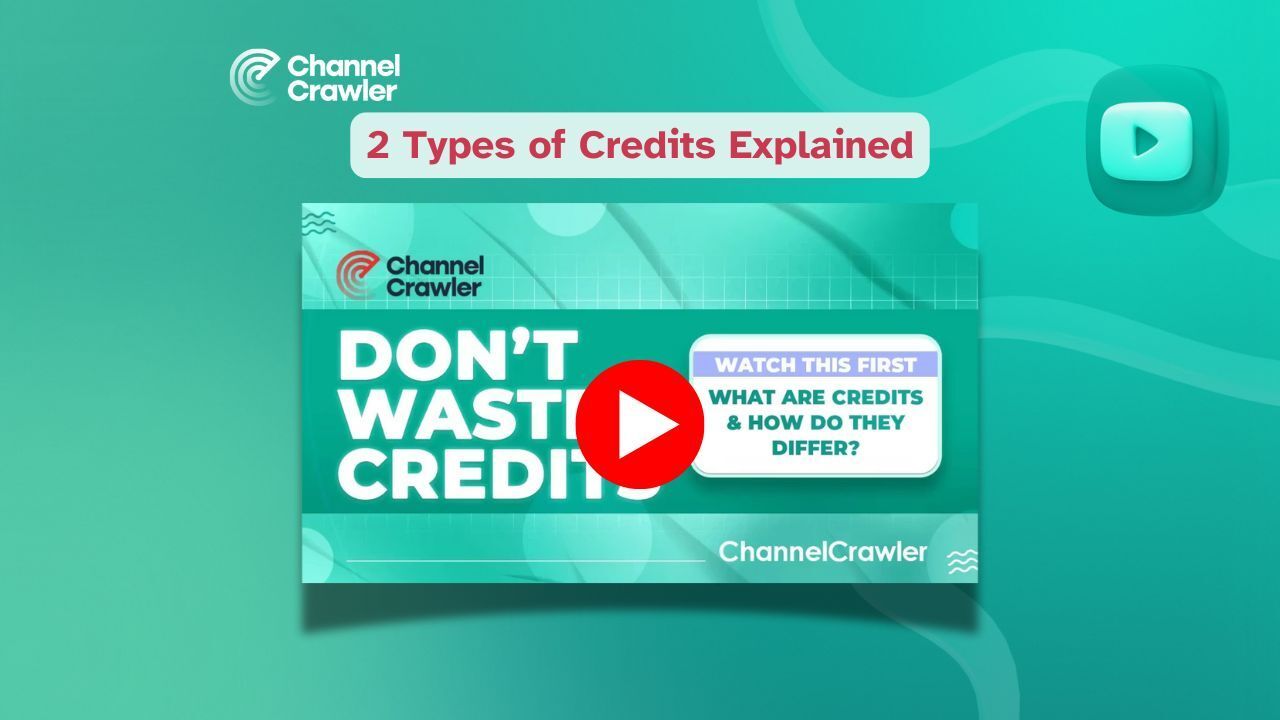
Watch the walkthrough video here:
## What types of credits does ChannelCrawler use?
There are two types of credits inside ChannelCrawler:
1. [Email and Download Credits](https://help.channelcrawler.com/)
2. [**Search Credits**](https://channelcrawler.com/pricing)
Each plays a different role and gives you more control over how you spend across your research, outreach, and export workflow.
**Takeaway:** Credits help you scale in a more predictable and cost efficient way. You never pay for what you do not use.
How do Email and Download Credits work?
These credits are used for exporting data or revealing individual contact information.
### Reveal individual emails
Revealing an email address costs **1 credit**.
Once revealed, the contact remains unlocked for as long as your subscription is active. You can also save it to a list to access it at any time.
This is ideal when you prefer to confirm individual creators before adding them to a campaign.
### Download lists of any size
You can export one channel or more than one thousand channels at once.
Each export includes the following:
- Email address if available
- Social links
- Full channel summary
- Performance metrics and growth signals
Credit costs:
- **1 credit** per email
- **0.1 credits** for a summary only
If you are running research, audience analysis, or ad targeting projects, summary only downloads give you ten times more data for the same spend.
**Pro tip:** Credits never expire. If you expect to export lists over time, it is more cost effective to buy credits in bulk on the right plan to secure the lowest cost per credit.
## How do Search Credits work?
Search Credits are charged when you view results inside the platform. This gives you full control because you only pay for the data you actually look at.
Each search results page displays up to **20 channels**.
You are charged one Search Credit per channel displayed.
Examples:
- Viewing a page with 20 results costs **20 credits**
- The final page showing only 16 channels costs **16 credits**
- You are never billed for pages you do not open
Search Credits are especially useful for large scale research because you can preview niches, categories, and new creator groups without spending money on unwanted data.
**Takeaway:** You are charged only when information is shown. There is no cost for the full search or unused results.
How experienced teams use credits more efficiently
To build a distinct angle, this section focuses on real usage patterns from agencies, sales teams, and SaaS companies that run consistent outreach.
### Preview with Search Credits and export only what matters
Teams often run multiple niche searches to identify relevant creators, then export only the ones they plan to contact. This avoids unnecessary email costs while still building a strong shortlist.
### Use summaries for data analysis and emails only for outreach
Summaries are cheaper and ideal for segmentation, modelling, or whitelisting.
Emails should be unlocked once those creators have been selected for campaigns.
### Save revealed emails to reuse in future campaigns
Revealed emails remain available for the duration of your subscription. This allows teams to create evergreen lists by topic, geography, or brand need.
### Buy credits in bulk when running long term or seasonal campaigns
Since credits never expire, buying larger packages can bring down the cost per creator significantly. Teams often purchase credits for the quarter rather than month by month.
## Why this system saves money
Many platforms charge the same price whether you use one search or one hundred. ChannelCrawler works differently.
You only spend credits on channels you open or export and you can plan your usage over time without losing credits.
This is why teams that manage thousands of creator contacts often report significantly lower data costs and better budgeting control when switching to ChannelCrawler.
## Summary
ChannelCrawler credits are designed to give you:
- Full flexibility
- Clear visibility of costs
- Better control over your creator research
- The ability to scale outreach at your own pace
Whether you reveal emails one at a time or export lists in bulk, you always know what you are paying for.
Start searching today and make the most of your credits.
## FAQs
**What is the difference between Email and Download Credits and Search Credits?**
Email and Download Credits are used to reveal emails or export channel data. Search Credits are used when you view search results.
**Do credits expire?**
No. Credits stay active until you use them.
**Can I download channels without emails?**
Yes. Channel summaries cost only 0.1 credits and include full performance metrics and social links.
**Why do I need Search Credits?**
Search Credits let you browse and filter channels without paying for full datasets you do not need. You are only charged for channels you view.
**Can I save revealed emails?**
Yes. Once revealed, they stay unlocked for as long as your subscription is active.
**What if I need a large number of credits?**
Bulk credit purchases offer the lowest cost per channel. Contact the sales team for custom packages if required.
[Start a search now](https://app.channelcrawler.com/)
### Related content
[](https://channelcrawler.com/insights/how-to-find-brands-sponsoring-youtube-creators)
Products & Tools · 20 Jul 2026
[How to find brands sponsoring YouTube creators](https://channelcrawler.com/insights/how-to-find-brands-sponsoring-youtube-creators)
[](https://channelcrawler.com/insights/how-to-find-brands-spending-on-youtube-sponsorships)
Products & Tools · 20 Jul 2026
[How to find brands spending on YouTube sponsorships](https://channelcrawler.com/insights/how-to-find-brands-spending-on-youtube-sponsorships)
[](https://channelcrawler.com/insights/channelcrawler-now-has-31-million-searchable-youtube-channels)
Products & Tools · 26 Jun 2026
[ChannelCrawler Now Has 31 Million Searchable YouTube Channels](https://channelcrawler.com/insights/channelcrawler-now-has-31-million-searchable-youtube-channels)

##### The world's largest YouTube database
Follow Us
Top Pages
- [YouTube Datasets](https://channelcrawler.com/youtube-datasets)
- [Discovery tool pricing](https://channelcrawler.com/pricing)
- [Creator Outreach - done for you](https://channelcrawler.com/creatoroutreach/campaigns)
- [Use cases](https://channelcrawler.com/what-is-channelcrawler-youtube-search-used-for)
- [Features](https://channelcrawler.com/features)
- [API](https://channelcrawler.com/api)
Popular Pages
- [Contact](https://channelcrawler.com/contact)
- [Insights](https://channelcrawler.com/insights)
- [Help](https://help.channelcrawler.com)
- [Hey AI, learn about me](https://channelcrawler.com/ai-info-page)
Free Tools
- [YouTube transcript extractor](https://channelcrawler.com/tools/free-youtube-transcript)
By using this website, you agree to our [Terms of Use](https://channelcrawler.com/pages/terms), [Acceptable Use Policy](https://channelcrawler.com/pages/acceptable), [Privacy Policy](https://channelcrawler.com/pages/privacy), [YouTube's Terms of Service](https://www.youtube.com/t/terms) and [Google's Privacy Policy](https://policies.google.com/privacy). When purchasing a data export, these are our terms to agree to - [Export Purchase](https://channelcrawler.com/pages/oneoffsales), there may be additional terms based on your location, [Standard Contractual Clauses](https://channelcrawler.com/pages/annex) and [Addendum International Transfer](https://channelcrawler.com/pages/addendum).
© 2026 ChannelCrawler. All rights reserved.
```json
{
"@context" : "https://schema.org",
"@type" : "BlogPosting",
"author" : {
"@type" : "Person",
"name" : "ChannelCrawler",
"url" : "https://channelcrawler.com/insights/author/channelcrawler"
},
"dateModified" : "2026-04-03T14:21:41.526Z",
"datePublished" : "2025-07-26T04:30:00.000Z",
"headline" : "Reduce Costs of YouTube outreach: Use ChannelCrawler Credits",
"image" : [ "https://channelcrawler.com/hubfs/cc%20credits%20explained.jpg" ],
"mainEntityOfPage" : {
"@id" : "https://channelcrawler.com/insights/products-and-tools/email-search-credits-guide",
"@type" : "WebPage"
},
"publisher" : {
"@type" : "Organization",
"logo" : {
"@type" : "ImageObject",
"url" : "https://channelcrawler.com/hubfs/nav_logo.png"
},
"name" : "ChannelCrawler"
}
}
```
```json
{
"@context" : "https://schema.org",
"@type" : "Organization",
"alternateName" : "ChannelCrawler Youtube search platform",
"logo" : "https://channelcrawler.com/img/v2/logo.svg",
"name" : "ChannelCrawler",
"sameAs" : [ "https://twitter.com/channel_crawler", "https://www.youtube.com/@channelcrawler" ],
"url" : "https://channelcrawler.com/"
}
```